

Move between accounts
- Tap plus, then Move between accounts, or tap Move money in Accounts.
- Choose the date, From account, and To account.
- Enter the amount leaving and an optional fee or note, then Save entry.
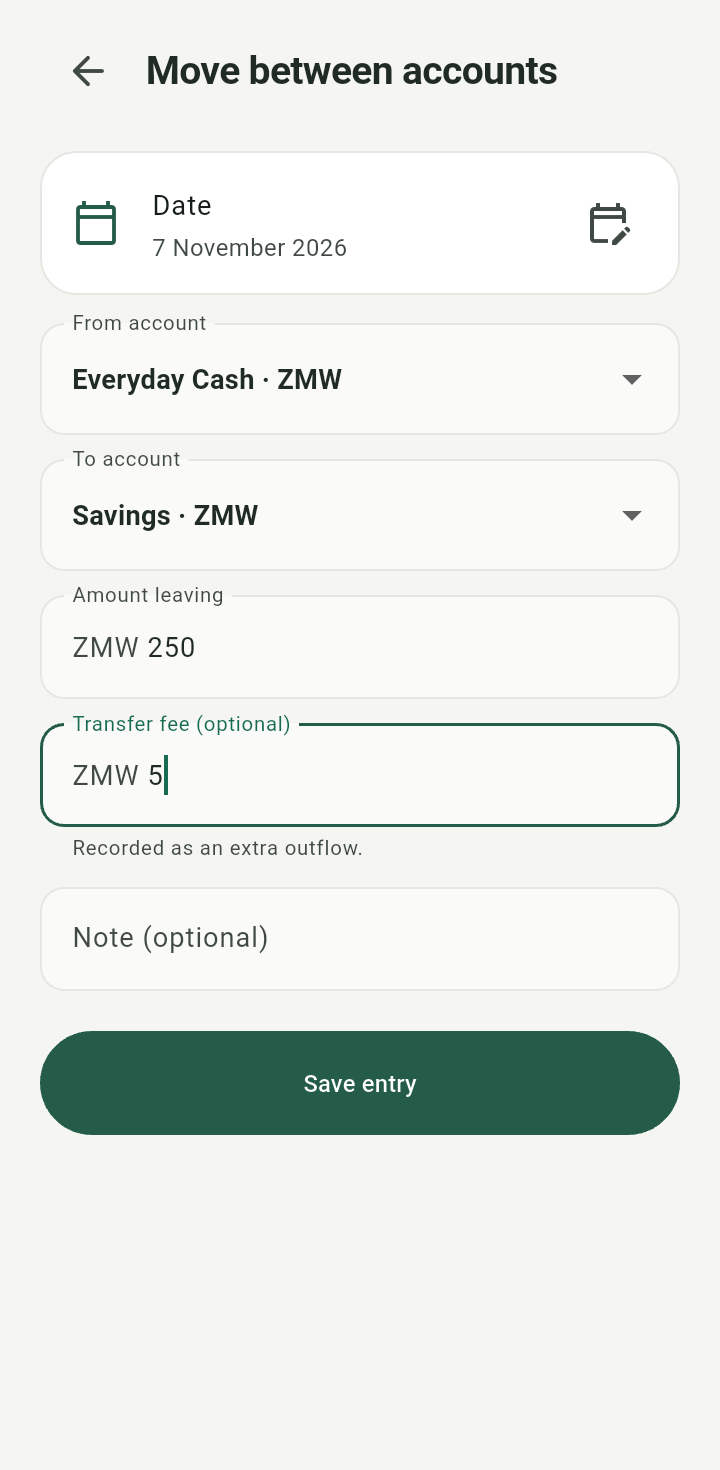
Move between accounts form with source, destination, amount, and fee
When currencies differ, enter Amount arriving in the destination currency too. The two amounts are separate recorded facts; the implied exchange rate does not rewrite them.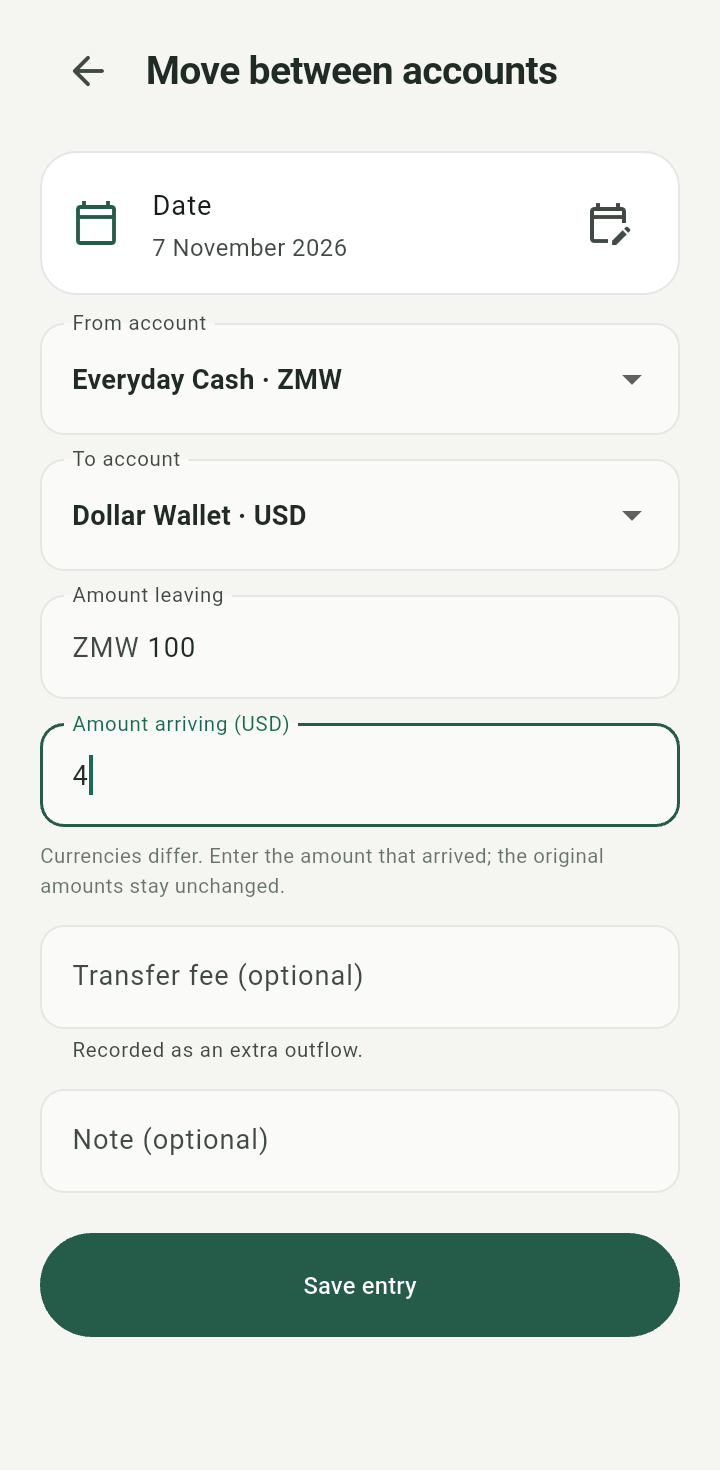
Cross-currency transfer showing a separate amount arriving
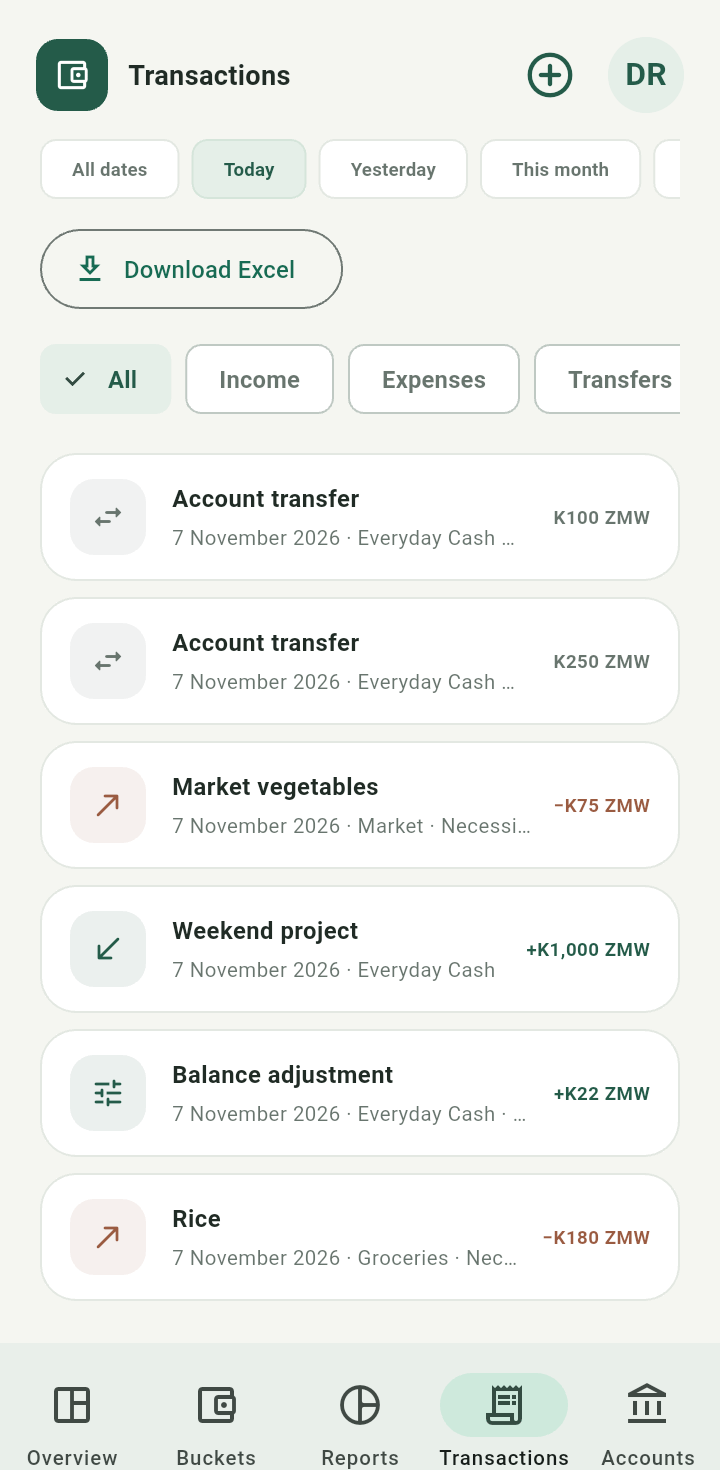
Saved account transfer visible in Transactions
Move between buckets
Choose Move between buckets from plus, select two different buckets, a currency, an amount, and a date. Add an optional note and tap Save entry.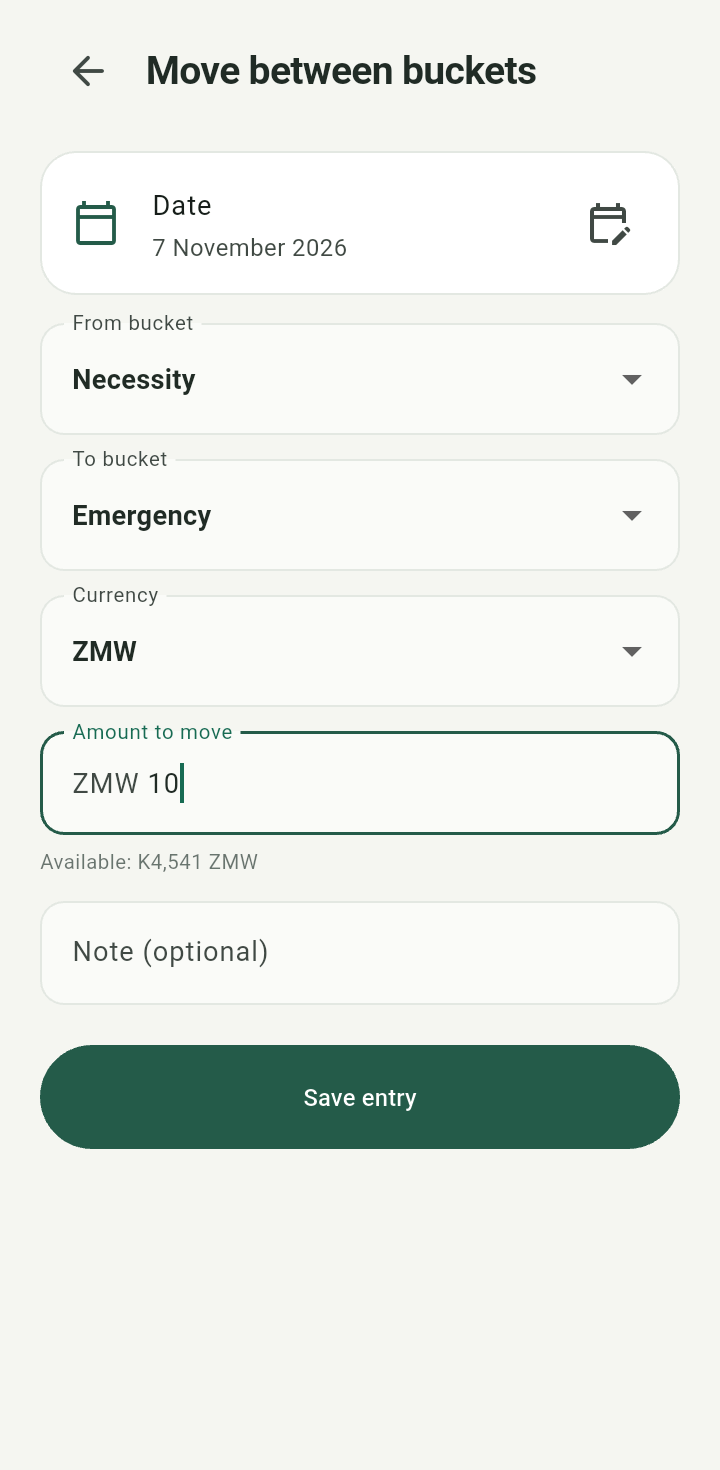
Move between buckets form
This changes purpose while the money stays in its accounts. The source bucket needs sufficient funds in that currency. Account transfers and bucket transfers serve different purposes; use the one that matches what happened.