

Link a purchase
In Record expense, set a date within the budget range and the same currency. Select the budget using Add to budget. For each purchased item, enter This expense amount and optionally Qty bought. The assigned item amounts cannot exceed the purchase amount. Any remaining purchase amount is not allocated to an item.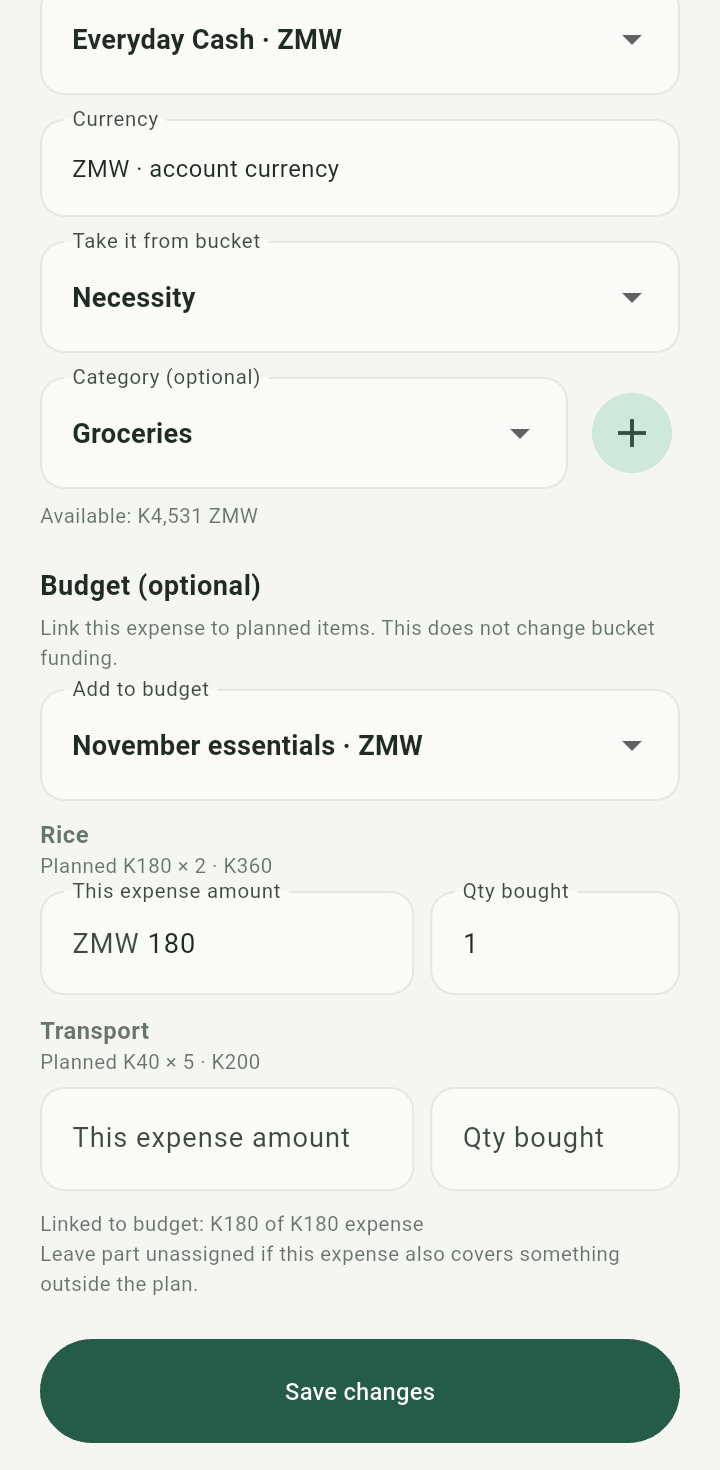
Expense linked to November essentials with item amounts and quantities
Choose the payment account and funding bucket separately. A budget link does not provide funds.Check progress
Save the expense, open Budget again, and expand the plan. Compare the guide amount, planned total, actual total, and item quantities. A blank purchased quantity means it was not recorded, not necessarily zero purchased.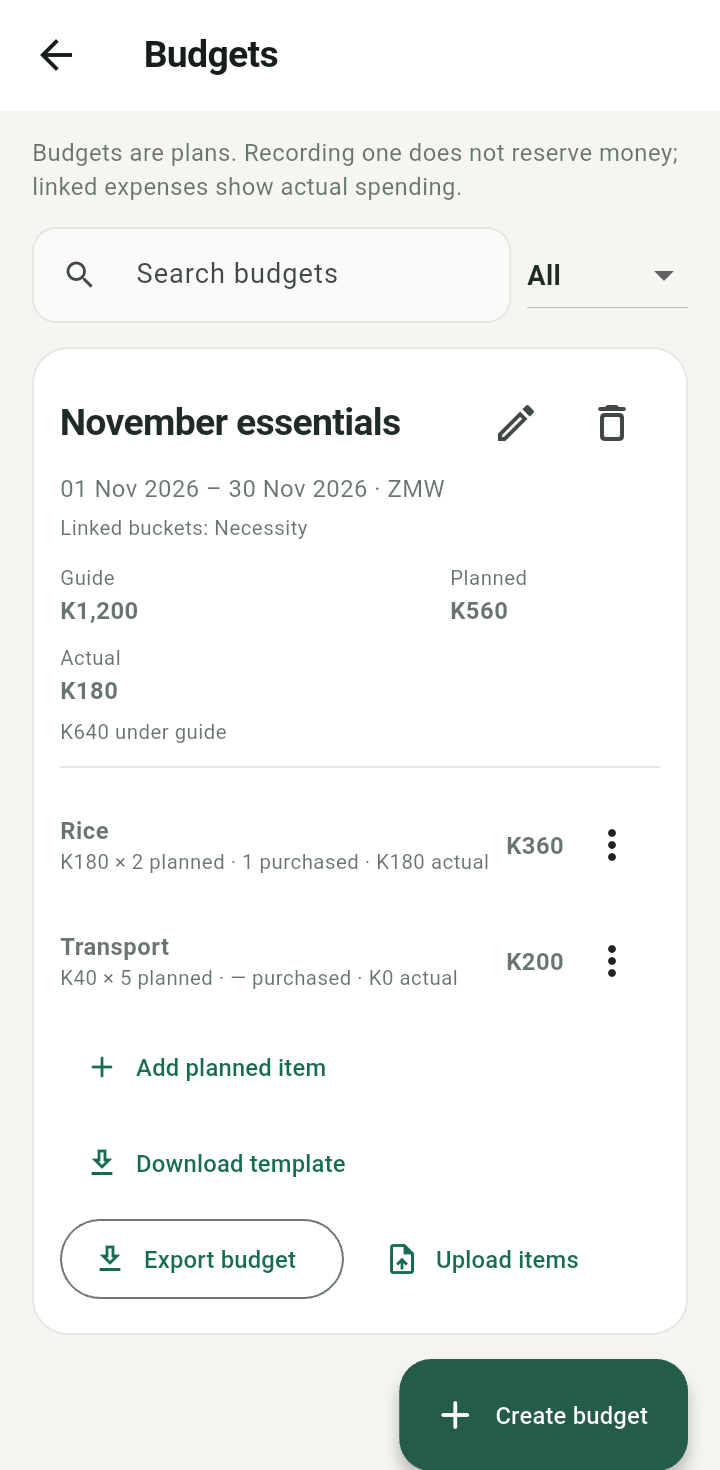
Budget after a purchase, showing planned versus purchased quantities and actual amount
Fees affect account and bucket balances but are excluded from budget purchase totals. To correct a saved purchase, edit the expense, then review the budget again.