

Add an income event
- Tap the plus icon, then Income.
- Choose the date and enter Amount received.
- Optionally describe the source in Where did it come from? (optional) and choose a Deposit account.
- Check the currency. A chosen account determines its own currency.
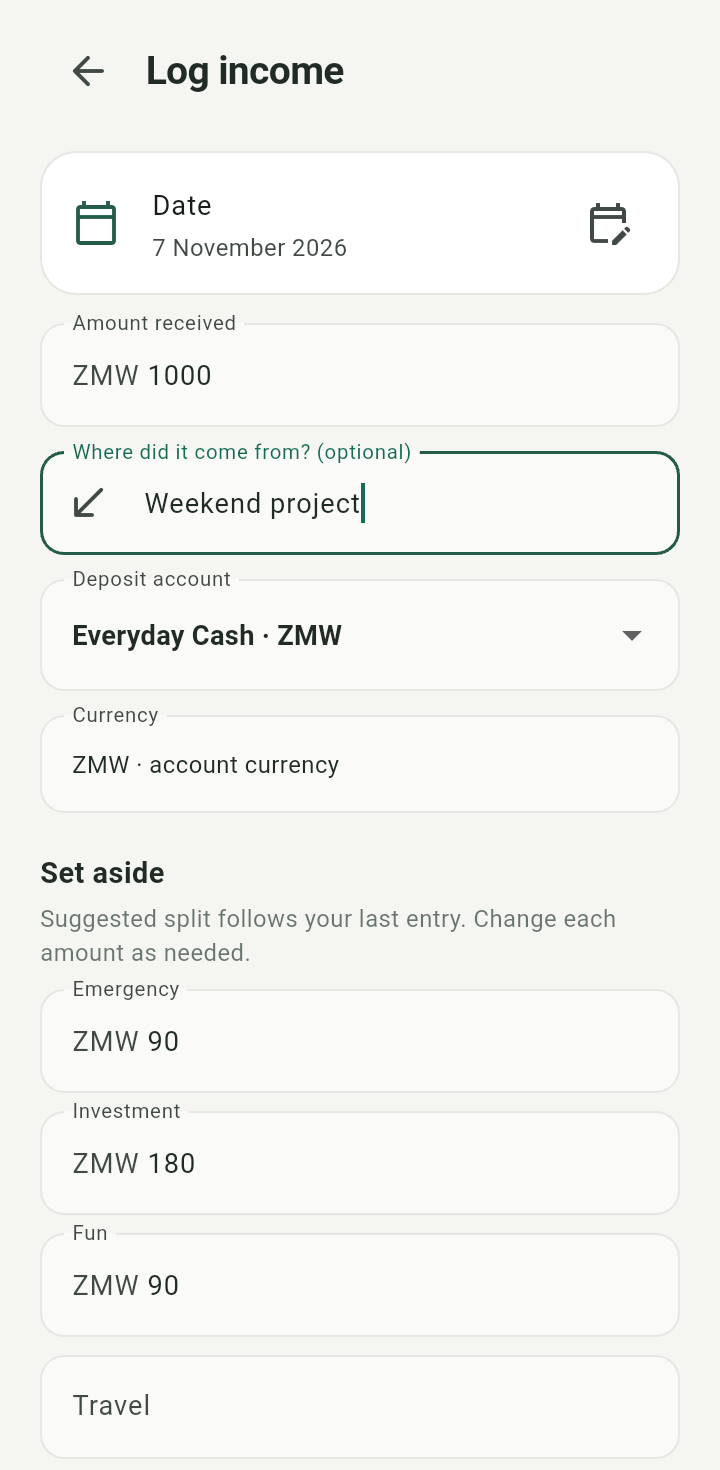
Log income form with date, amount received, source, deposit account, and currency
Review the split
Under Set aside, change the amount for each bucket as needed. The form suggests amounts from your last entry. Any remainder stays available to assign.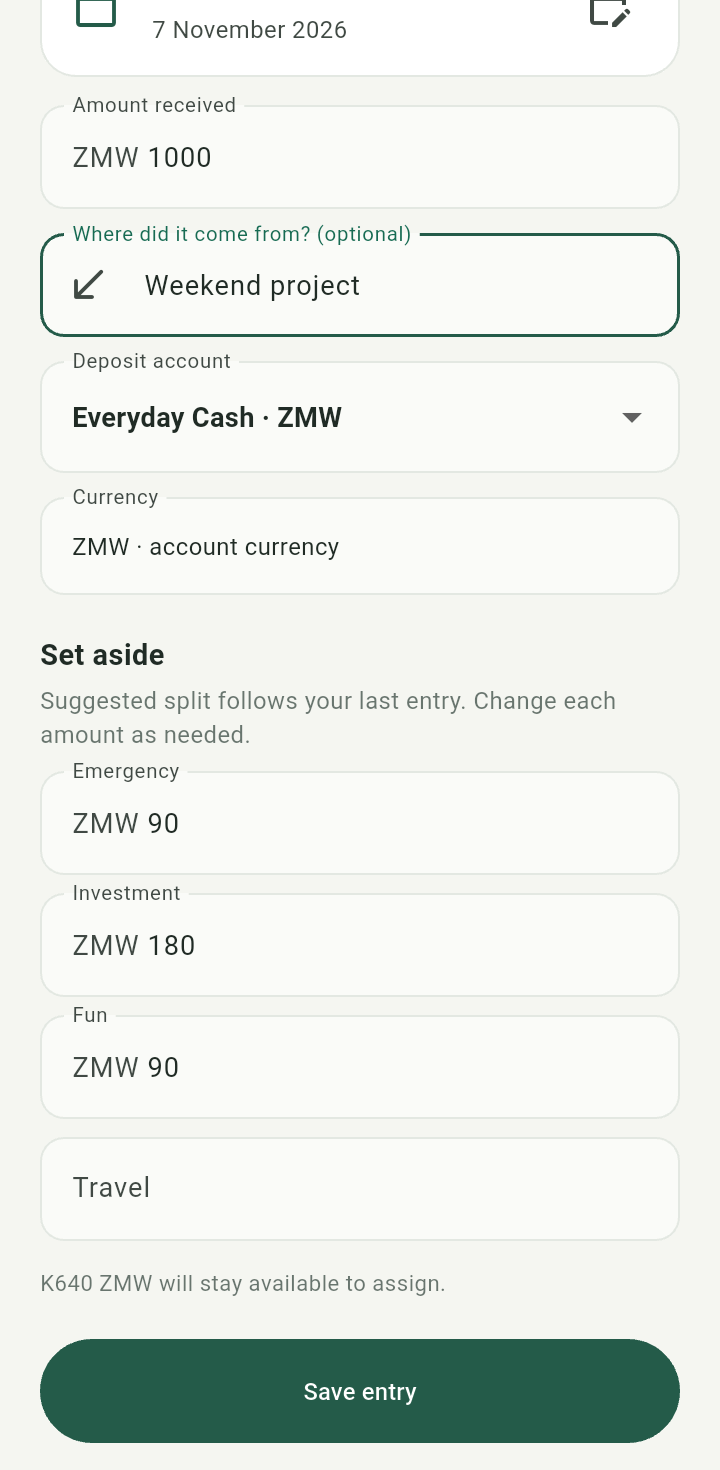
Income bucket amounts and unallocated remainder
Tap Save entry and wait for the form to close. Check Overview or Transactions for the saved event.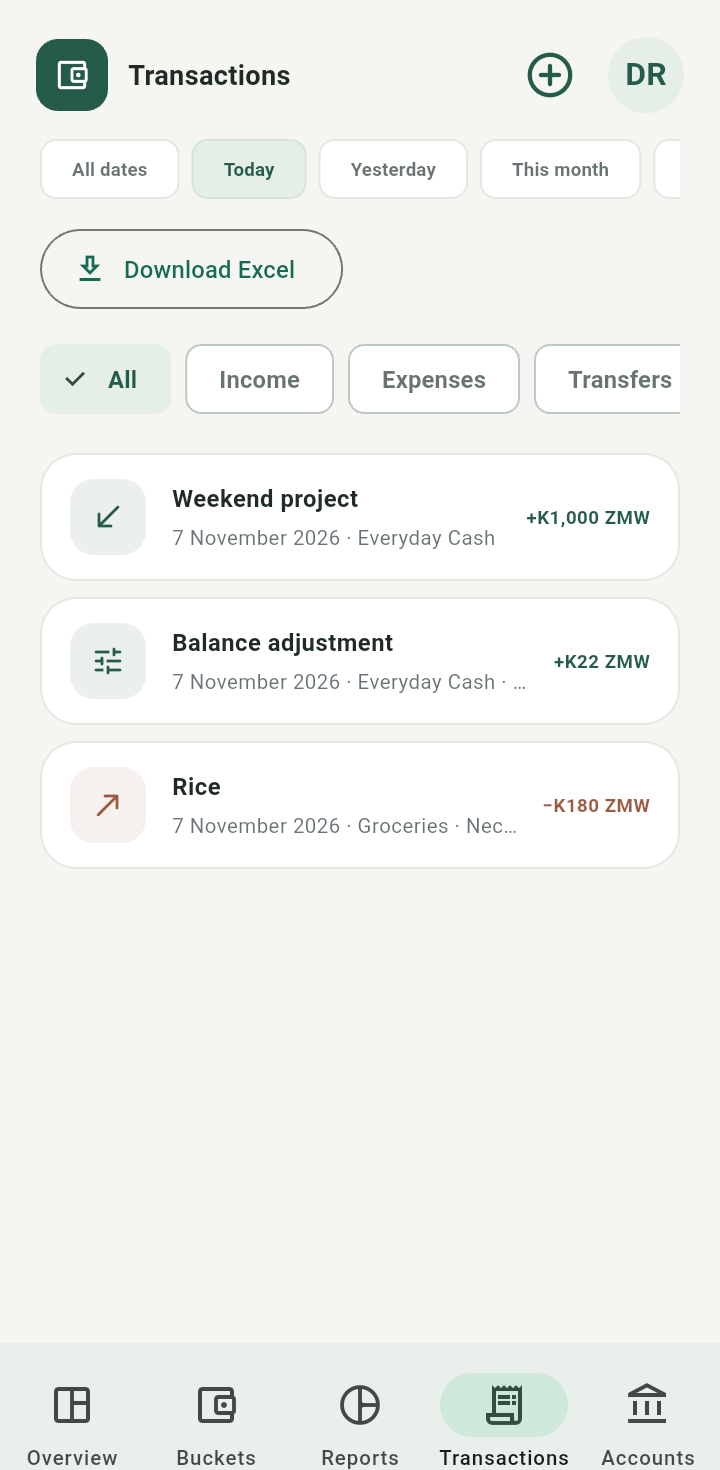
Transactions showing the saved demonstration income
Income can be irregular and dated in the past. Changing a later income split does not reallocate previous events. To deliberately correct a recorded income, see transaction editing.